
Featured Lobby
Play Now
Kraken's Catch
Play Now
Russian Poker
Play Now
The Dog House Megaways
Play Now
Legacy of Dead
Play Now
Oasis Poker Pro
Play Now
Hold My Beer
Play Now
Big Bass Splash
Play Now
The Gold of Poseidon
Play Now
Apokalipsia Latina
Play Now
Dead Men Walking
Play Now
The Money Game
Play Now
Muertitos
Play Now
Ultra Fresh
Play Now
Sweet Bonanza 1000
Play NowBovada Casino on Mobile
The short answer is: there is no separate app to download. Bovada Casino runs as a mobile web application in your phone browser, and it works well on both iPhone and Android. The longer answer is that once you know how to pin it to your home screen, how to set up push notifications, and how the live dealer stream behaves on a mobile connection, the mobile experience is closer to a native app than most casino players expect.
Bovada Casino on Your Phone
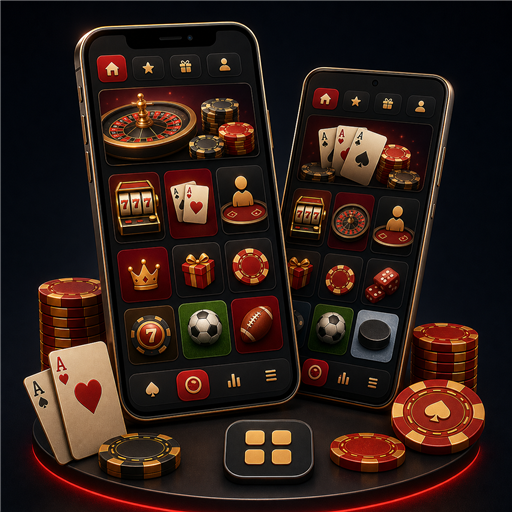
Open bovada.lv in Safari on iPhone or Chrome on Android and you land on the full mobile site. Every feature works: slots load, live dealer streams work, the cashier accepts deposits and processes withdrawals, bonus codes activate the same way as on desktop, and support chat is available in the same bubble. There is no reduced version and no missing games in the mobile flow. Sign in once and stay signed in until you clear cookies or actively log out.
Web App vs Native App: What You Actually Need
Neither Apple nor Google allows US-facing real-money casino apps in their official stores. That means every US-facing offshore operator serves mobile play through the browser, not a native download. This is not a downgrade; a well-built mobile web application uses the browser as a runtime and delivers essentially native performance. The only meaningful difference is that installation is by pinning to the home screen rather than an App Store download. If a site offers you an APK file to sideload on Android, be cautious: it bypasses Google Play Protect and is a common vector for cloned or malicious versions.
iPhone and iPad Setup in Under a Minute
Open bovada.lv in Safari. Tap the Share button, scroll down, and choose Add to Home Screen. Name it Bovada or leave the default, then tap Add. You now have an icon on your home screen that opens the site in full-screen mode without the Safari address bar, which looks and feels like a native app. The same trick works on iPad. Because the app runs through Safari, iOS system controls such as biometric autofill and Reader mode work as normal. If you sign in with a password autofilled by iCloud Keychain, subsequent launches are close to one-tap.
Android Setup and Chrome Shortcut
On Android, open bovada.lv in Chrome, tap the three-dot menu, and choose Install app or Add to Home Screen depending on your version of Chrome. On modern Android, Chrome installs Bovada as a Progressive Web App, which gets its own launcher icon and app switcher entry, runs offline for cached pages, and stays in memory between sessions. Push notifications are supported through Chrome on Android; iOS Safari does not currently support web push, which is one of the few remaining feature gaps between the two platforms.
What Works on Mobile That Works on Desktop
Everything customer-facing works on mobile. That includes the full slot lobby with providers such as BGaming and RTG, all live dealer studios (blackjack, roulette, baccarat, Super 6), the full cashier including crypto and card deposits, the bonus activation flow, the Bovada Rewards tracker, support live chat, and account settings. The one obvious rendering difference is the game lobby, which uses larger tap targets and fewer columns on mobile. Slot playthrough itself is identical because the game engines are already responsive.
Push Notifications for Promos and Withdrawals
Push notifications on Android are opt-in and cover three categories: cashier events such as withdrawal completion, active-promotion reminders, and account-security alerts such as a new-device login. You can enable all three, any subset, or none from the account settings menu. iOS Safari does not support web push, so on iPhone the equivalent alerts come by email or SMS depending on the settings you configured. Support does not use push for outbound; you always initiate the ticket first.
Data Usage and Streaming on Live Tables
Live dealer streaming on mobile runs adaptive bitrate, targeting between 1 and 2 Mbps depending on your connection. A one-hour session at a live blackjack table uses roughly 500 to 700 MB of data on 4G, which is comfortably inside most modern unlimited plans and something to check if you have a metered plan. On 5G, the stream jumps to higher quality automatically without you needing to change a setting. Slot sessions use a fraction of that data because they are not video streaming; a full hour of slot play typically uses under 50 MB.
Mobile Deposits and Cashouts
The cashier is fully functional on mobile. Card deposits go through the same instant-clear flow as desktop; the card number field is autofilled by the operating system where you have saved cards. Crypto deposits are actually easier on mobile because the deposit page can generate a QR code for the wallet address that you scan straight into your crypto wallet app, avoiding a copy-paste step that is error-prone on small screens. Withdrawals to crypto follow the reverse flow: paste your wallet address, confirm the amount, and confirm identity if it is your first cashout. Full method-level details are on the banking page.
Performance on a Weak Connection
Real mobile life includes patchy 4G on the train, hotel Wi-Fi that fights with a hundred other guests, and cellular that drops from LTE to 3G in a basement. Slot play tolerates this well because the game keeps state locally and syncs on connection recovery. Live dealer tolerates it less well; the stream will drop to a lower bitrate first and pause your seat if the connection cuts entirely. The practical tip is that a stable connection matters more than the phone hardware. A mid-range Android on strong Wi-Fi beats a top-end iPhone tethered to weak cellular.
Battery and Background Behavior
An hour of slot play consumes roughly 10 to 15 percent battery on modern phones; an hour of live dealer streaming consumes 20 to 30 percent because the video decoder is active. When the app is in the background, the game session pauses to preserve battery and network; on iOS, backgrounding for more than a few minutes closes the game round for compliance reasons and you will need to reopen the game.
Security on Mobile
Enable biometric autofill for your Bovada login so you never type the password in a public place. Add a passcode or biometric lock to the phone itself. If you play on shared devices, log out at the end of every session rather than relying on cookies to time out. Push notifications for new-device logins tell you immediately if someone else accesses the account. Support does not ask for your password or full card details through chat or email at any time.
What Does Not Work on Mobile Yet
A short list of gaps to know about. Web push notifications on iOS Safari are still unsupported, so iPhone users get email alerts instead. Some older Android phones on Chrome 100 or below cannot install the site as a Progressive Web App and fall back to a bookmark. The multi-hand blackjack variant is desktop only for now because the interaction pattern does not translate cleanly to a small screen. If you rely on any of those, use desktop for those specific cases and mobile for everything else.
18+. Please gamble responsibly. Set deposit, loss, and session limits, take a time-out, or self-exclude via the account tools. Free, confidential help: ncpgambling.org, 1-800-GAMBLER, or the National Problem Gambling Helpline on 1-800-522-4700. Licensed under the laws of the Autonomous Island of Anjouan, Union of Comoros.